Posts

Showing posts with the label Face

Hyde Texture Start

Image
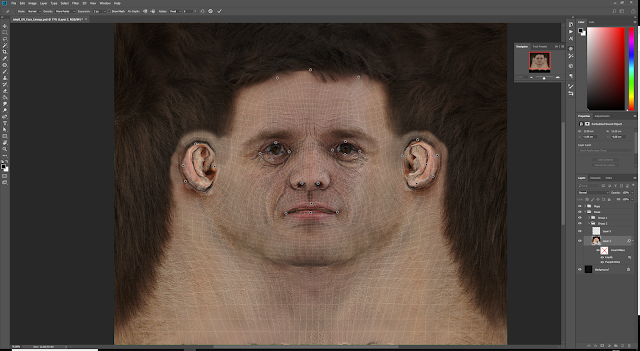
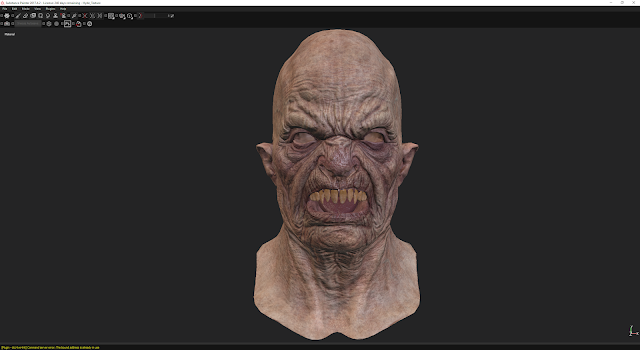
Hyde Texture Start After the sculpt was finalised, it was just a case of redoing the UVs for Hyde's head and hand and mouth, as the geometry was all the same, then baking and texturing in Substance Painter. For the skin, I used the same methods and techniques that I employed with Jekyll. For reference, I found that elderly people's faces offered really good details and colour information that worked well with the look I was after.

Skin Texture In Unreal

Image
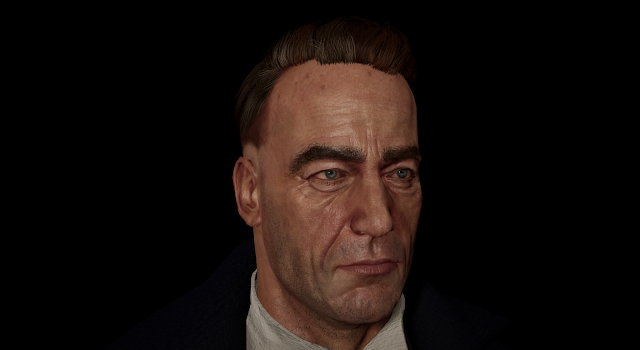
Skin Texture In Unreal For the skin in Unreal Engine, I decided to utilise Saurabh Jethani's skin shader found here:  https://texturing.xyz/pages/saurabh-jethani-creating-realistic-skin-in-ue4 The shader is free to use and Saurabh talks about the setup and breaks down what each part does. The shader itself is an adaptation of the skin shader from the 'Meet Mike' project demo. The skin is still a WIP as I am still texturing as I go however Saurabh Jethani's shader is a great help and offers a lot of customisation. The eyes are from the Meet Mike project however I plan on swapping out the textures with my own at a later point.

Jekyll Skin Texture

Image
Jekyll Skin Texture For the texturing process of Jekyll, I decided to use Substance Painter as it is popular in Industry and offers great tools and versatility for PBR texturing. I employed the use of scanned, unwrapped face textures as a starting point to project onto my mesh, then finished off the skin texturing with help from the tips and tricks shared by Magdalena Dadela in this GDC video: https://www.youtube.com/watch?v=9ywhVkZBtq8

Tertiary and Micro Details

Image
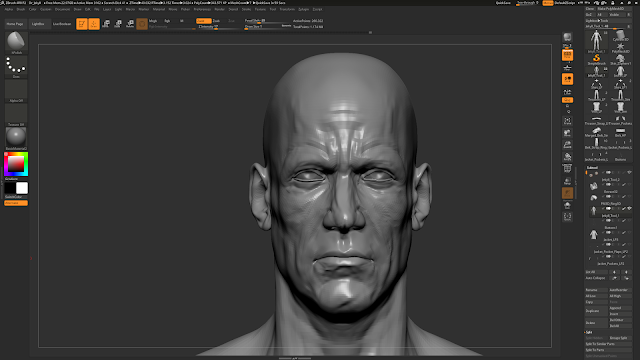
Tertiary and Micro Details After finalising the secondary forms of my sculpt, I went on to adding all of the tertiary and micro details using alphas, surface noise and hand sculpting. I utilised the use of Texturing.xyz alphas as well as some free brushes and other alphas found online.  The process is fairly straight forward, I added a new layer for each detail that I was working on so that I could easily adjust and blend the mutiple levels of details. I then used the alphas with the standard brush set to drag rectangle then worked my way around the model. I kept the details generic and broad at first, then went over them again with more care and attention. When starting off applying tertiary and micro details, the mesh feels really smooth and empty, so I added some  surface  noise to the mesh before hand to break up the mesh a bit and make it less pristine. This also helped add a more organic feel to the model. From a distance the skin deta...
Refining the Face and adding Teeth

Image
Refining the Face and adding Teeth Moving forward, I started to develop my character's facial features more and get them closer to my reference and idea. This was just a case of a lot of small changes, constantly referring to my moodboard and anatomy reference. I added the changes on seperate layers in ZBrush so that I could compare changes, and I could easily revert back if I didn't like the look of what I'd sculpted. This also allowed me to blend between different layers, giving me more variety and control over which features I liked. An important feature which was missing were the teeth. Adding the teeth helped with the sizing of the mouth, and made me see changes which needed to be made in the face in order for them to look right. For the teeth, I found that reference of dentures helped a lot as the pictures were close up and could get a 360 shot compared to pictures from inside people's mouths. I wanted to make my character's teeth ...